
Improving Checkout and Account Management for HauteLook’s iOS Apps
Redesigning Cart, Checkout, Confirmation, Orders, and Account Management experiences for iPhone and iPad as mobile purchases became an increasingly important part of HauteLook’s business.
Mobile Commerce Redesign
Project Overview
At the time of this project, HauteLook’s iPhone and iPad applications had become a significant part of the business. By March 2013, purchases through the iOS apps accounted for more than 35% of overall company sales.
Two areas were selected for redesign:
- Cart, Checkout, and Confirmation
- Orders and Account Management
The existing checkout flow contained usability issues and technical problems, while the account area had become difficult to navigate, particularly when members needed to locate previous purchases, check order status, or initiate returns.
My Role
- UX Design & Information Architecture
- Wireframing & Axure Prototyping
- iPhone & iPad Design
- Analytics Review & A/B Test Evaluation
- Design Documentation & Developer Collaboration
Team
- Product Managers
- Business Insights Team
- Visual Designers
- Engineers & QA Team
Reviewing Checkout Behavior
HauteLook’s Business Insights team provided analytics and supported A/B testing within checkout.
The analytics helped answer two questions: Where were members getting stuck, and which changes helped more members complete a purchase? The data revealed that unclear error states and hidden shipping information were the primary pain points, which helped us prioritize where to focus design effort.
Reworking Cart, Checkout, and Confirmation
Cart + Checkout
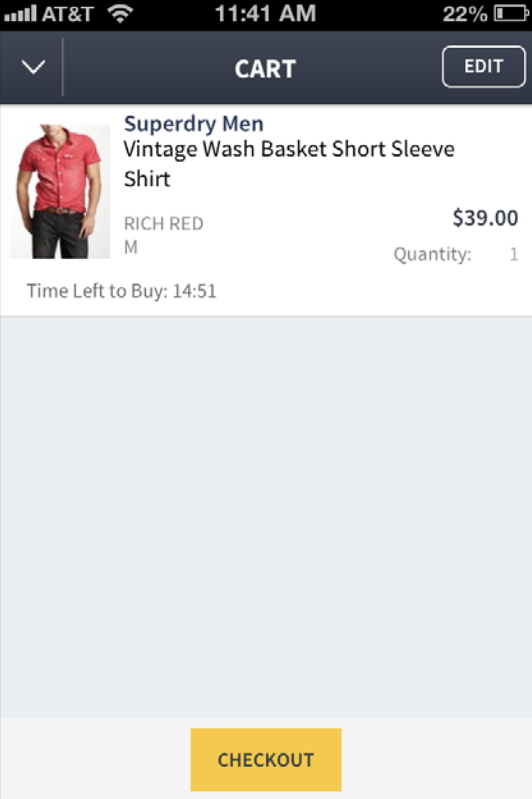
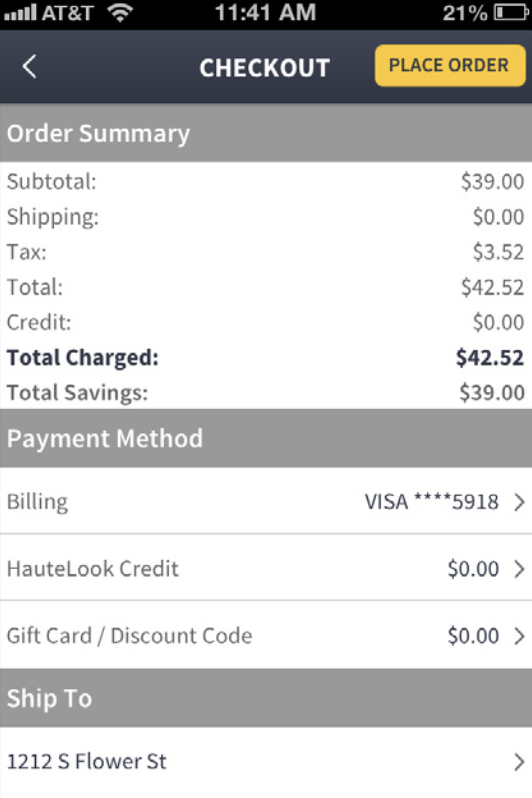
Old Experience
New Experience
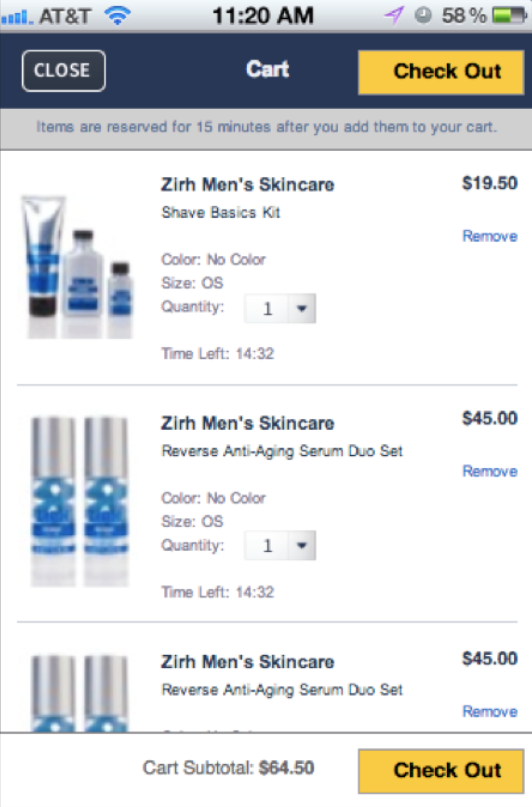
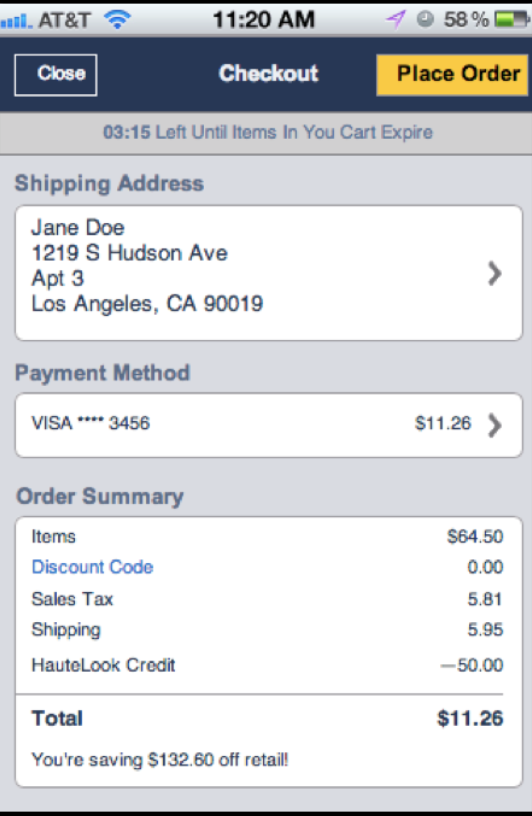
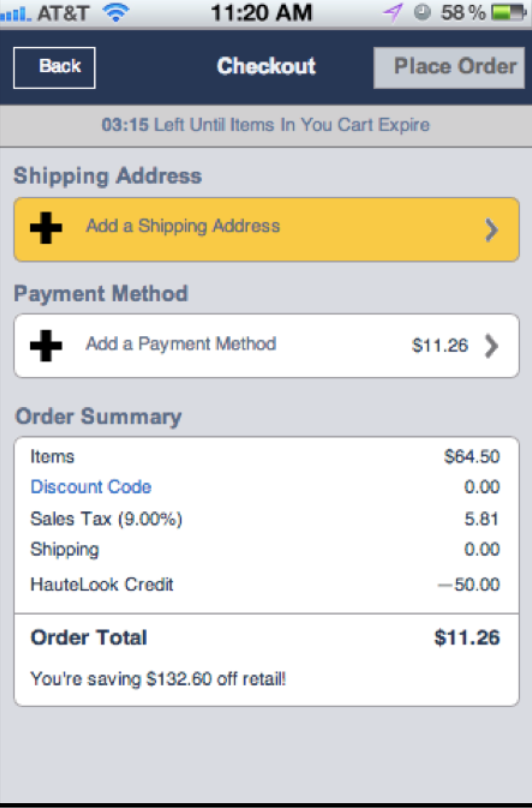
- Combined key checkout information onto a single screen.
- Made missing payment and shipping information easier to identify.
- Reduced the number of decisions required to complete checkout.
- Improved visibility into order totals and discounts.
Cart, Checkout, and Confirmation
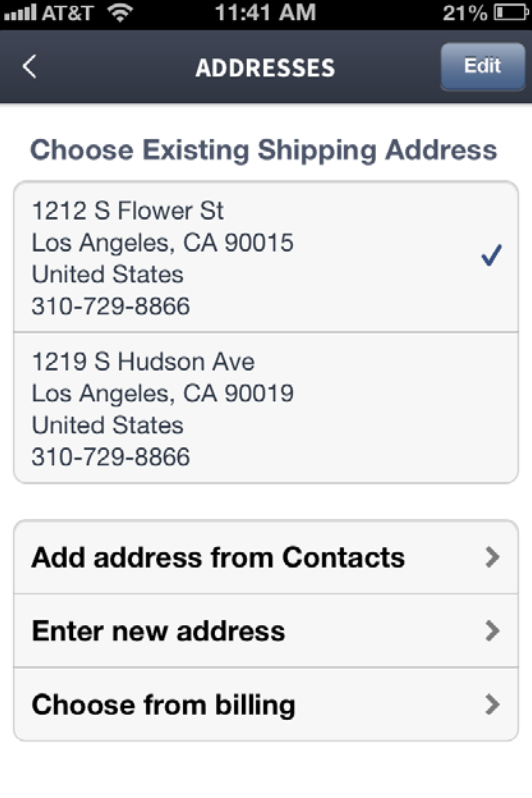
The existing checkout experience had accumulated usability issues, most notably around address selection. The app defaulted to the last used shipping address, which was often pushed off-screen at the bottom of the layout. Members frequently tapped “Place Order” without realizing they were shipping a new purchase to a previous gift recipient.
To fix this, we moved the address block higher up in the visual hierarchy and required members to explicitly confirm their shipping destination rather than blindly accepting the default before completing the purchase.
The redesign further focused on:
- Visual hierarchy
- Screen organization
- Form completion
- Checkout progression
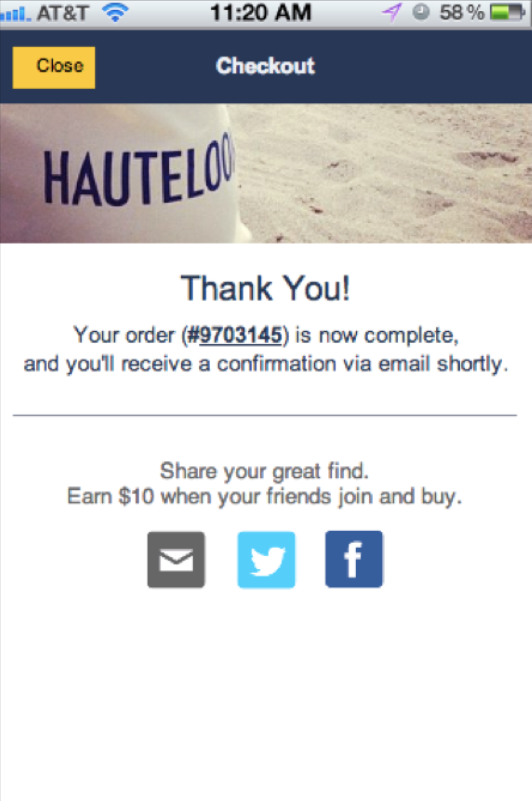
- Confirmation states
The updated layouts reduced visual clutter, made primary actions easier to identify, and improved visibility into shipping, payment, and order information.
Designing for iPhone and iPad
The iPhone and iPad experiences were designed in parallel.
As solutions were developed for one device, they were reviewed against the other. The workflow remained largely consistent while taking advantage of each screen size.
The goal was not to make every screen identical, but to make common tasks feel familiar regardless of device.
Orders, Tracking, and Account Management
Beyond checkout, members frequently returned to the application to review purchases, check fulfillment status, and manage account information.
Orders, Tracking, and Account Management
Account & Orders
Old Experience
New Experience
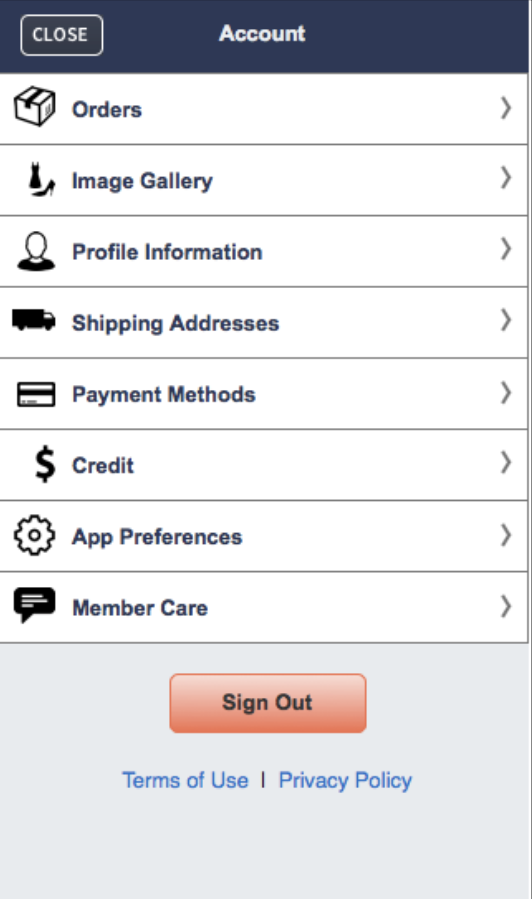
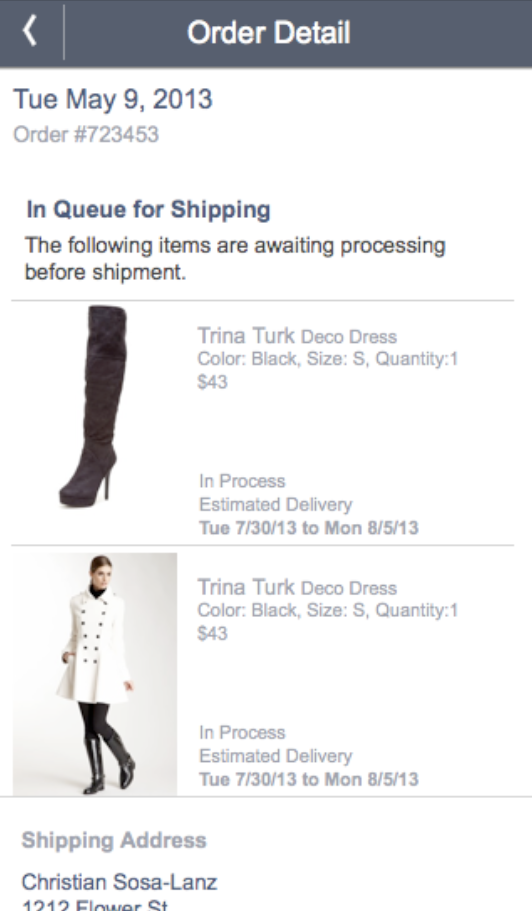
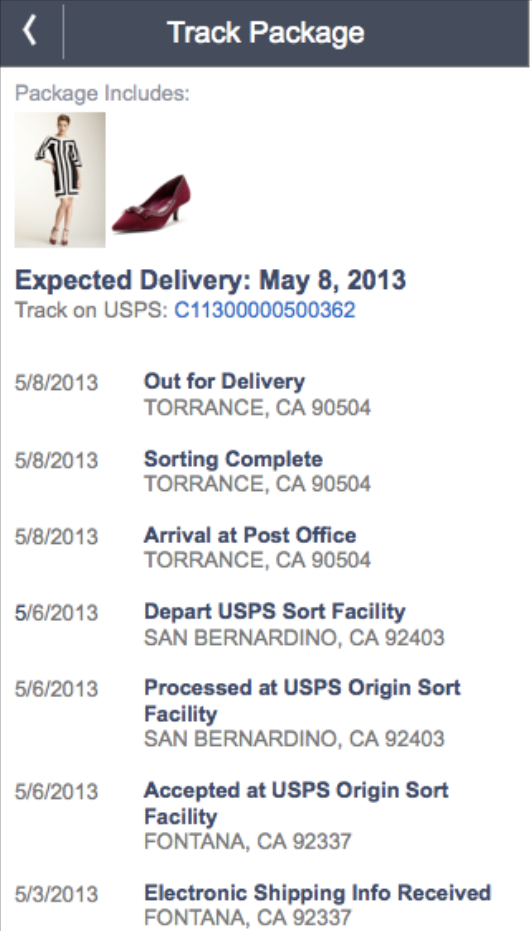
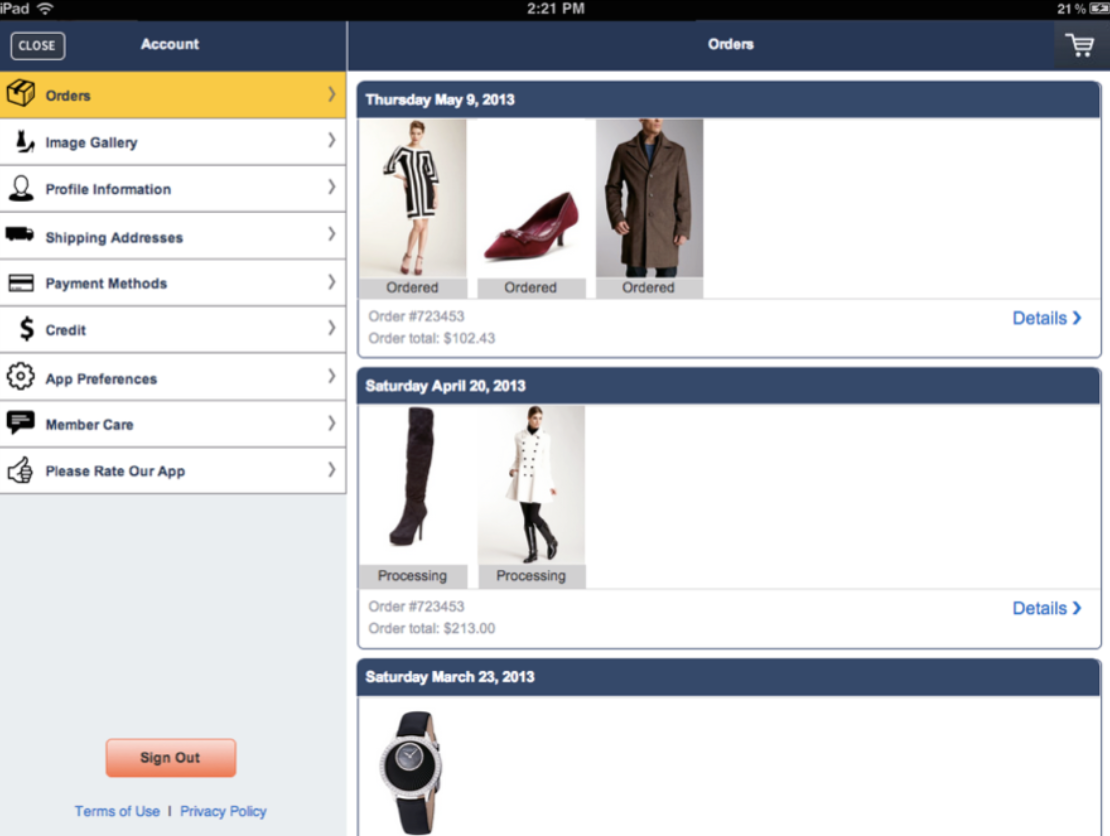
- Replaced text-heavy order listings with product imagery.
- Made purchases easier to identify at a glance.
- Improved visibility into fulfillment status.
- Added package-tracking functionality within the application.
- Simplified account organization and navigation.
A Visual Shift for Order History
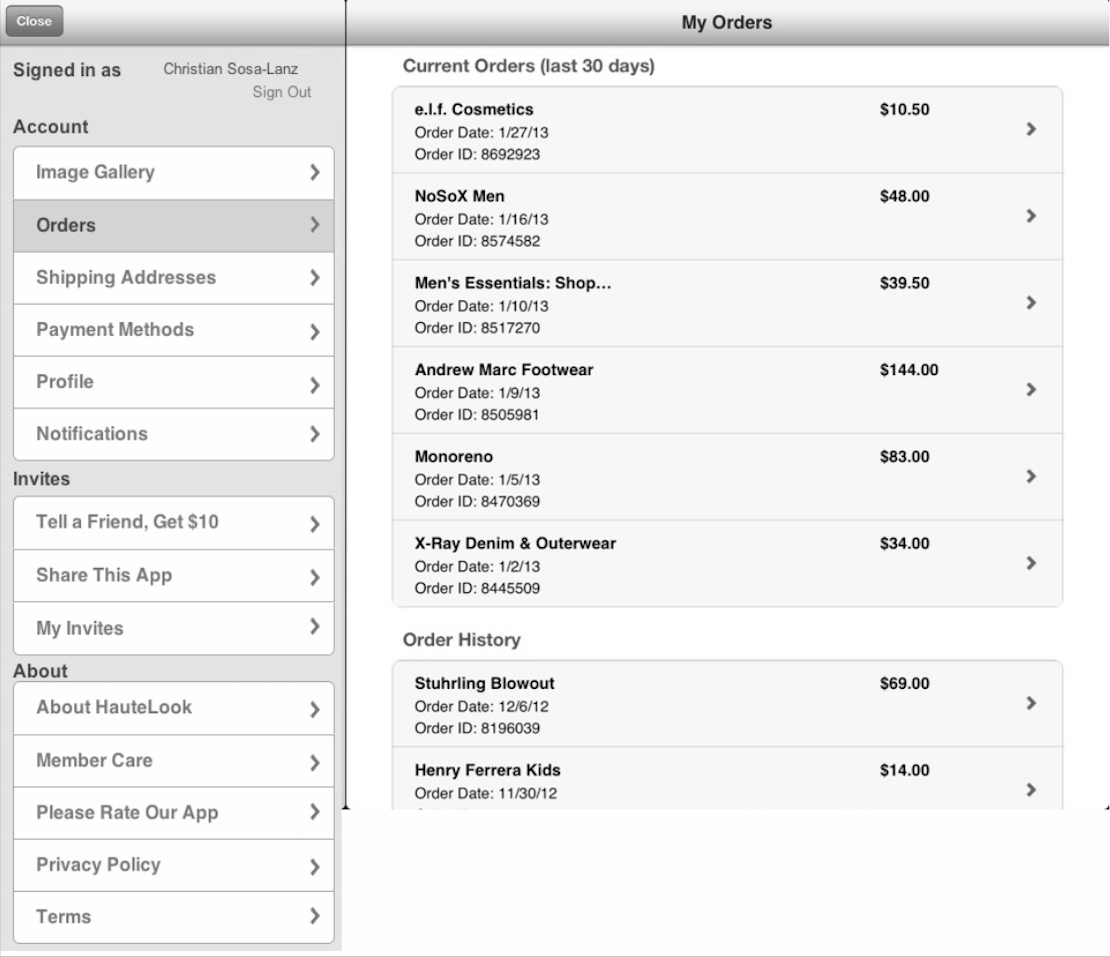
Previously, members had to scan and comprehend text-heavy line items without visual context to find a specific purchase. Inspired by patterns from Apple and Amazon, the redesign introduced a radical shift: leading with product imagery.
Because shoppers might have four or five pending orders at once, or be holding a physical product they want to check status on or return, making the interface visual allowed them to instantly recognize and locate the correct order without reading through ID numbers or dates.
Additional improvements included:
- Clearer order grouping
- Improved status visibility
- Simplified navigation
- Updated section labels
- Expanded post-purchase functionality