Disney MoviesAnywhere:
Optimizing Power-User Workflows by 2,300%
How I adapted the 5-Day Design Sprint to navigate stakeholder “Calendar Tetris” and save 20,000+ person-hours.
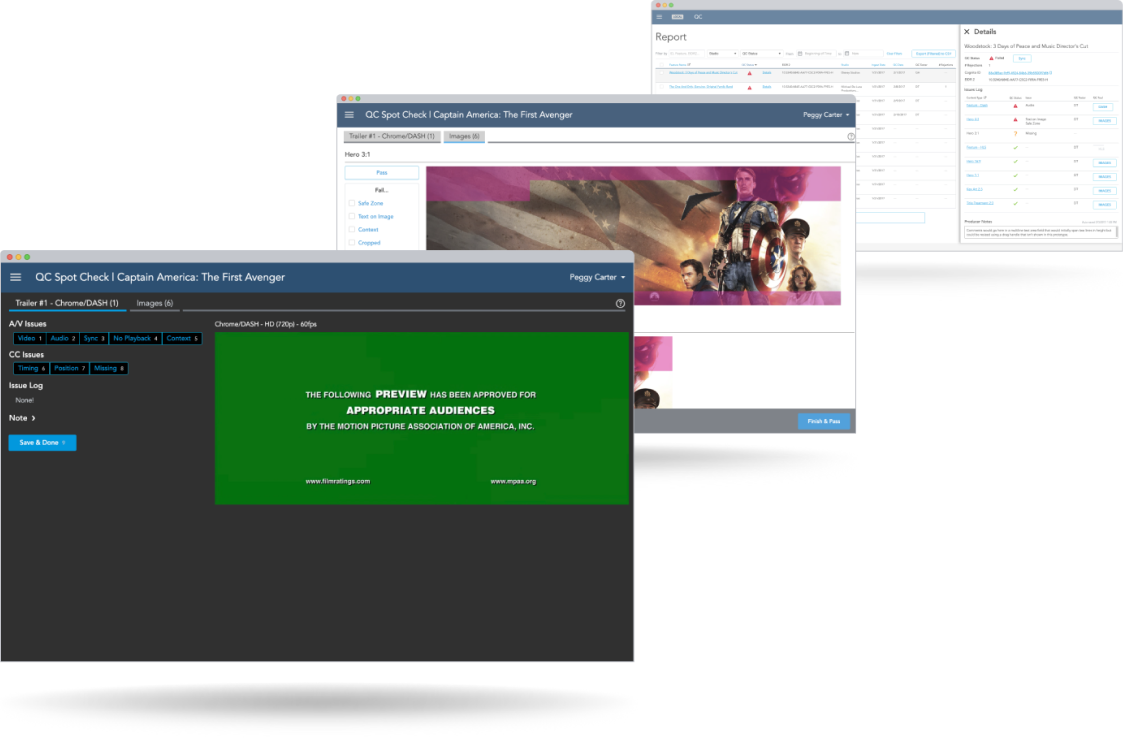
Reduced average review time from 4 hours to 10 minutes per title.
Enabled a small team to clear a massive multi-year backlog in just two months.
Provided a detailed specification and functional prototype that minimized engineering friction during the build phase.
Context
MoviesAnywhere.com is “… a partnership (initially with 20th Century Fox, Sony Pictures, Universal Pictures, and Warner Bros; later more were added) created by Disney Entertainment as a means through which consumers would access and enjoy movies on multiple platforms.” (Wikipedia).
A single movie title is comprised of many component parts: HLS/Dash video files, trailers, images, chapter information, and all of the metadata for each of these. For Disney Movies Anywhere—what already existed and would evolve to become MoviesAnywhere.com—Disney Studios Technology employed a team of Cast Members whose sole job was to manually locate, aggregate, review and document issues for movies already available for subscribers to view online across multiple platforms.
For MoviesAnywhere.com, 7,500+ movie titles needed to go through this QC process. With partner studios added to the mix, the manual workflow and processes were NOT going to scale successfully, nor would they allow for effective communication between studio producers. Leadership decided that backoffice workflows and custom interfaces would need to be created and developed to ensure the teams in place would have tools to achieve this massive undertaking before launch.
That’s where I came in.
Approach
- Research and Learning
- 5-Day Design Sprint Workshop for MVP Concept/Basic Prototype
- Prototype Iteration
- Usability Testing
- Designing and Fleshing Out All Use Cases
- Ongoing Reviews & Acceptance with QC Engineers, Producers, Engineers, Stakeholders, and Executives
- Ongoing Dev Team Support
Research
I needed to learn about existing processes, tasks, documentation methods, friction points, perspectives, business goals, backend technologies being implemented, and much more. To do this, I conducted contextual inquiries and screen-recorded observational working sessions with Quality Control Engineers, their managers, Producers, Engineers, Stakeholders, and Executives: 20 people total, with the counts per role as follows:
Roles Interviewed
- Quality Control Engineers (6)
- Quality Control Managers (2)
- Producers (4)
- Engineers (5)
- Stakeholders & Executives (3)
Methods Used
- Contextual inquiry
- Screen-recorded observational sessions
- Stakeholder interviews
Existing QC Engineer Process
To conduct a quality control test on a given movie title, the QC Engineer went through a process that entailed the following:
- Manually browsing for and pull asset files consisting of HLS/Dash versions of the feature and its trailers, images, chapter information, etc.;
- Validate they have the latest versions for each file;
- Open and manually scrub through each of the video files;
- Open and manually copy/paste/align images into Adobe Photoshop, using pre-defined templates that allowed them to pass/fail images based on size constraints in the interface; and
- Documenting their findings at each step in multiple shared spreadsheets.
High-Level Issues
The existing process was painstakingly-tedious and required switching between multiple browser tabs, windows, and other applications—a task switching nightmare and massive cognitive load that’s required both for managing where in the process a given title is, and also the manual steps within each task to complete it.
On average, a QC Engineer would spend an average of at least three to four hours to review ONE movie title and its accompanying assets, and that’s IF they didn’t encounter any missing or out-of-date files. When they hit a snag with one title, resolving the issue wasn’t instant, so they would start reviewing another movie and come back to it after they got answers.
Potential for mistakes and issues with data normalization, plus criteria for passing/failing different types of assets was often subjective.
Documenting issues, tracking statuses, and cataloging metadata spanned multiple applications, documents, and servers; aggregating these data into accurate reports in a timely manner was practically impossible.
The Process Pivot
Standard design sprints require locking the team in a room for a continuous 40-hour week. Given the schedule conflicts across engineering leads, studio producers, and executives, mandatory full-week attendance wasn’t realistic. Rather than abandoning the sprint framework, I adapted it.
I handled the core use-case mapping and structural sketching independently during Days 1 and 2, pulling stakeholders in for targeted 10-to-30-minute validation sessions when they had calendar gaps. Once we had a validated direction, I spent Day 3 storyboarding the flows. On Day 4, instead of flat wireframes, I built a highly detailed Axure prototype. You can’t test a keyboard-driven, high-speed interface with static boxes. By Day 5, I ran live evaluation sessions with QC Engineers to test the interface speed, quickly securing executive approval.
In the weeks that followed, I collaborated with Patricia Bellantoni (an incredibly-talented UX colleague and mentor of mine at Disney) to:
- Refine the over-arching flow where necessary to allow for edge cases;
- Detail out steps with greater specificity;
- Build an interactive prototype that included necessary nuanced micro-interactions; and
- Conduct additional usability tests with the same QC Engineers who would potentially be future users.
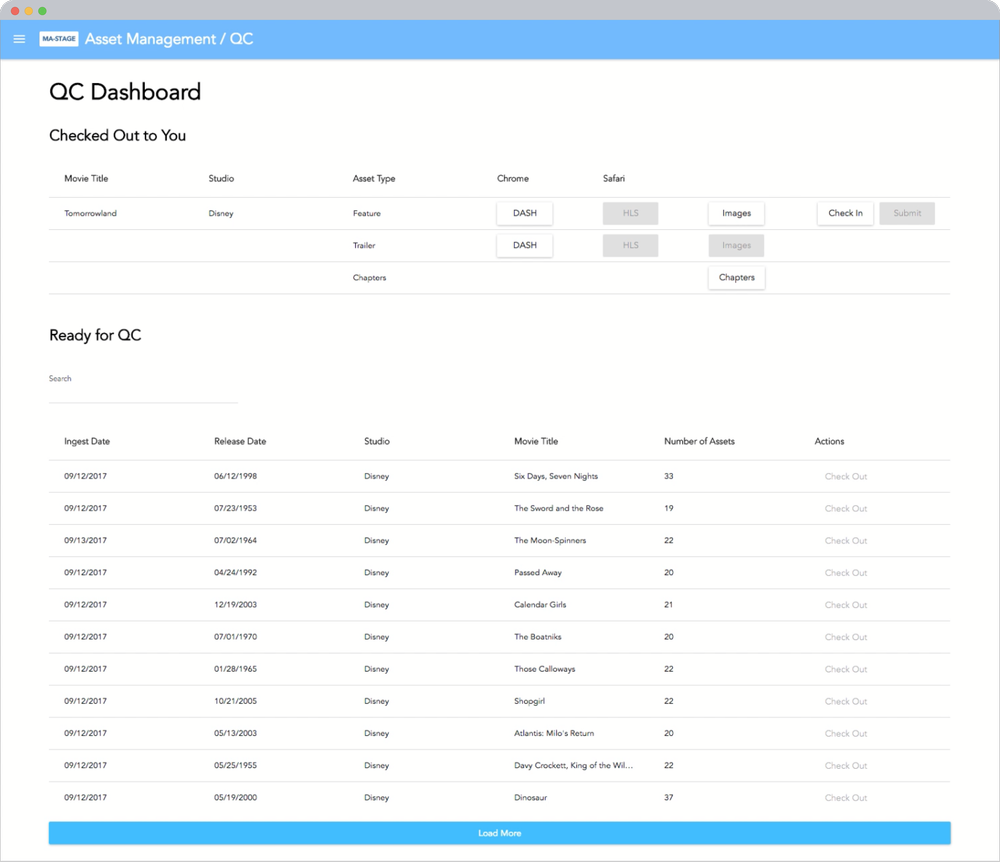
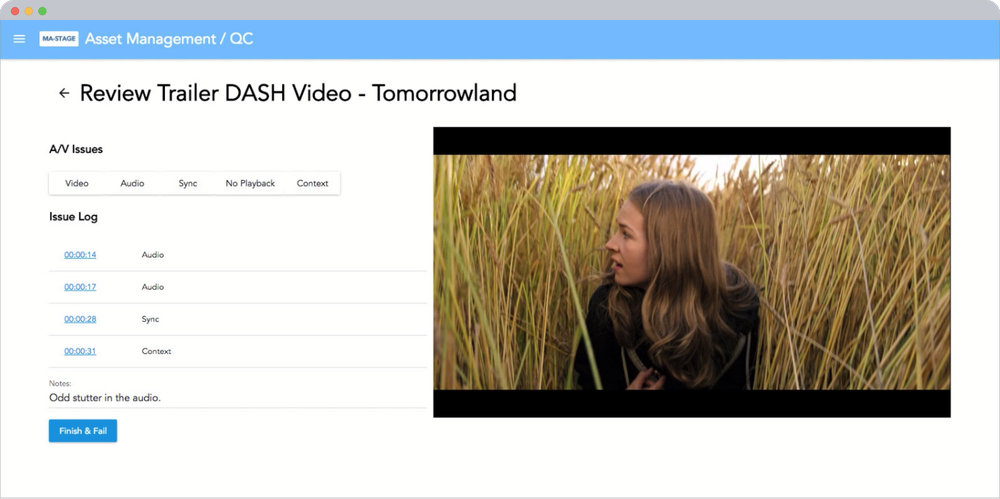
Screenshots & Walkthroughs from Final Prototypes
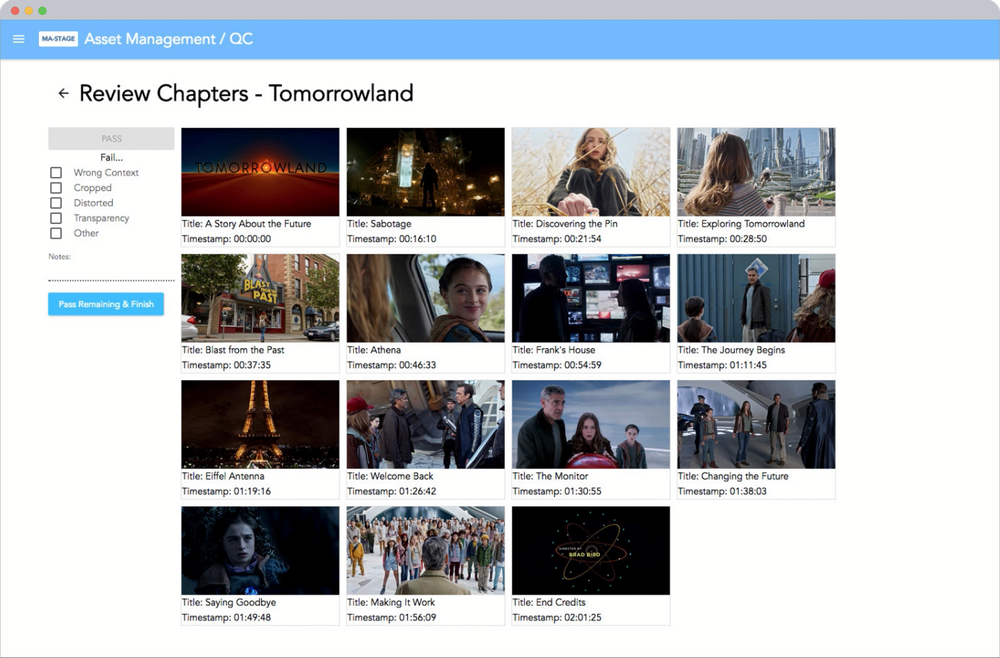
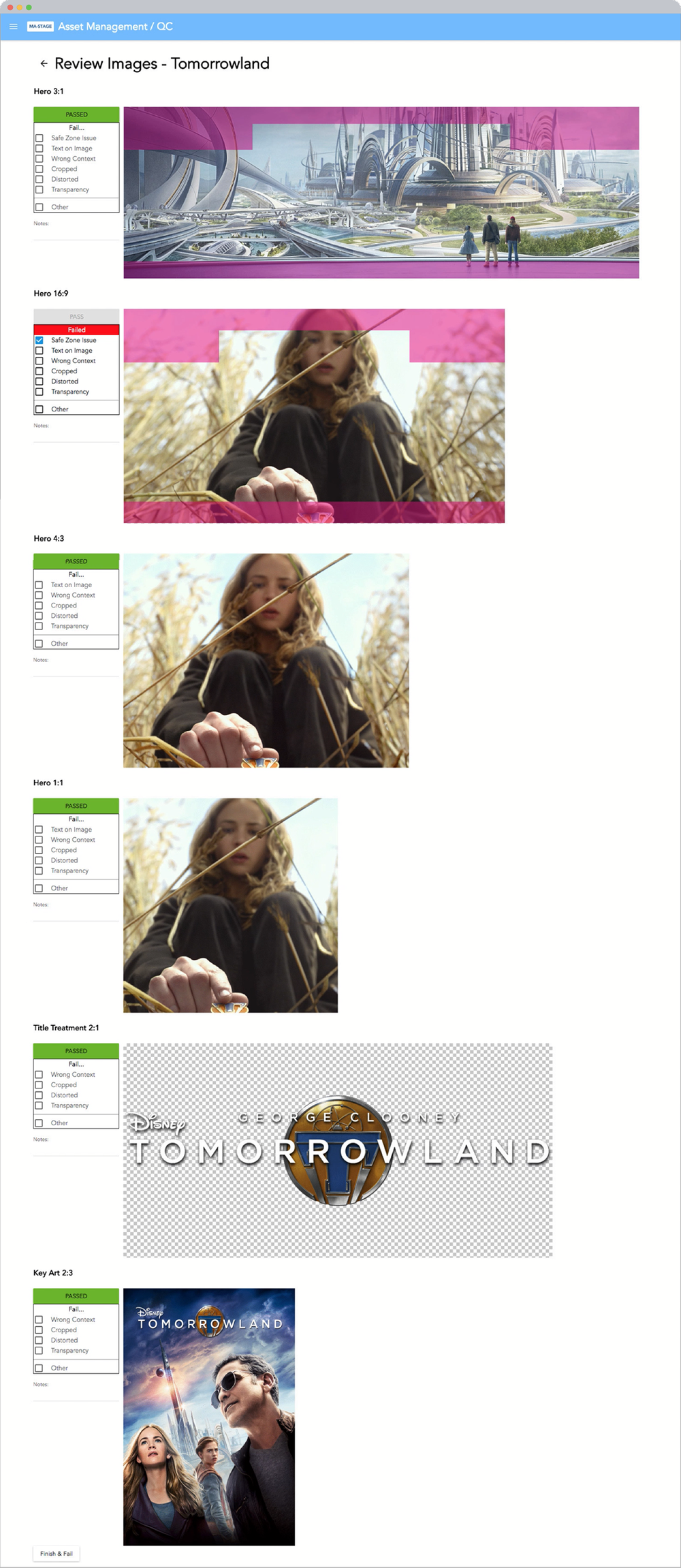
Reporting UI & Partner Visibility
By capturing validation logs directly within the interface, the system generates real-time, objective data reports. This automated communication loop eliminated guesswork, allowing internal producers and partner studios to isolate and clear asset errors immediately.
Prototype Walkthrough: QC Report
Engineering Handoff & Measured Outcomes
By delivering detailed Axure specifications alongside the interactive prototypes, the design team provided engineering partners with a clear source of truth. This close collaboration minimized ambiguity during development and bypassed downstream bottlenecks.
Ultimately, this alignment drove our primary metrics: Reducing an average 4-hour review process to just 10 minutes was a 2,300% increase in efficiency. This saved over 20,000 hours of labor across 7,500+ titles, allowing the team to clear the backlog on schedule without additional headcount.